Last night was rough and your recovery is low. Althewa saw it in this morning’s reading and starts your evening early. You haven’t touched a switch, a scene, or an app.
19:47 · LIGHT
As the sun sets, the lights turn warm and low.
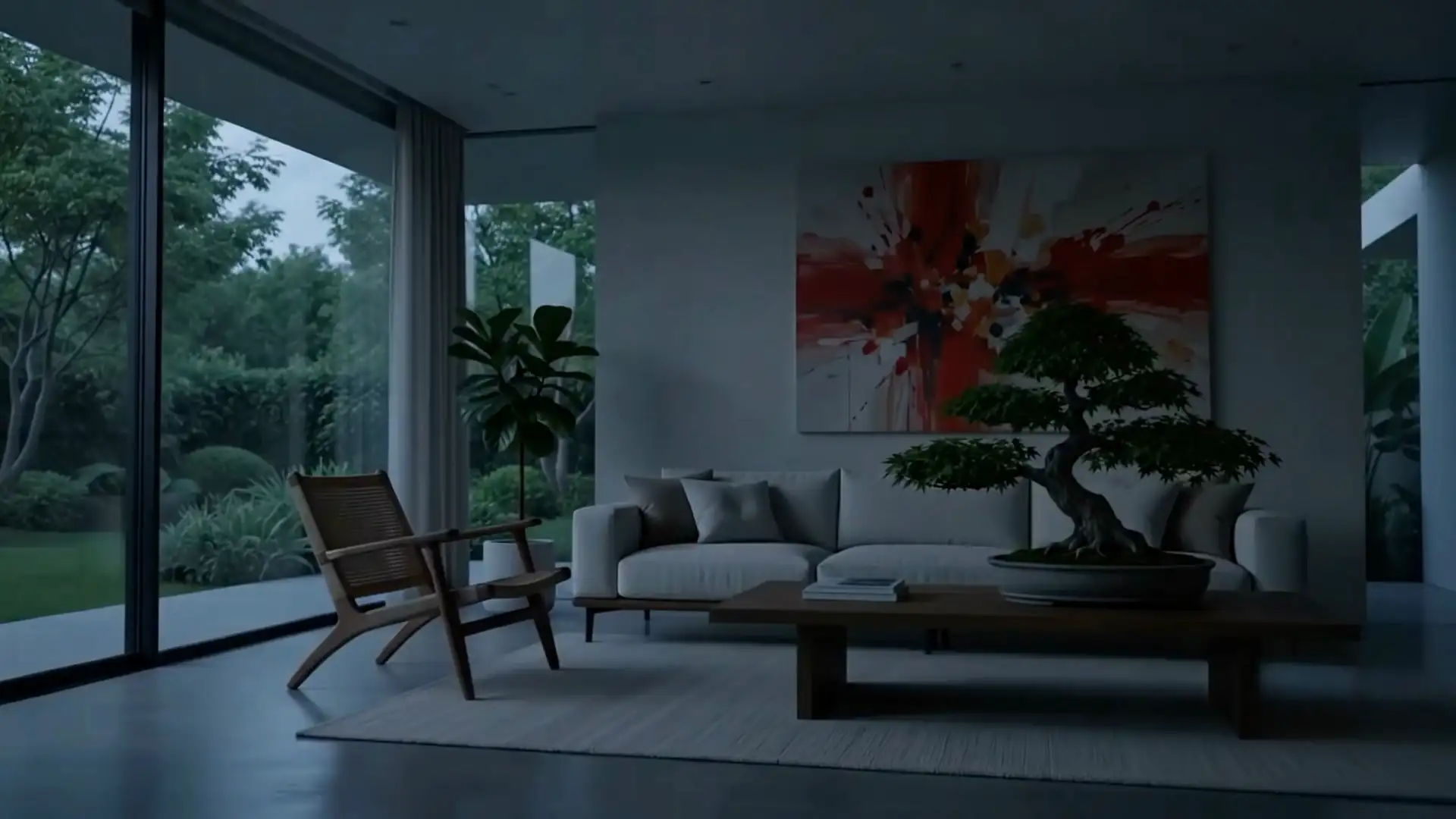
Overhead lights fade to a low, warm amber, the way daylight does at sunset. The home turns warm, dim and private for the evening.
20:15 · TEMPERATURE
The bedroom cools down before bed.
Your body cools down as sleep comes. Althewa turns the bedroom down in time, so the room is ready before you are.
22:00 · NIGHT
You just feel tired, at the right time.
That’s the whole idea. Small changes every evening, so your home helps you fall asleep instead of keeping you up.
You spend 90% of your life indoors. Let those rooms help you sleep and wake up.
Your body runs on an inner clock. Daylight sets it most, and temperature helps. Bright, cool light late in the evening tells your body it is still day, and a warm bedroom makes it harder to drift off.
Althewa takes care of those small things on its own. Each morning it reads how you slept from the watch or ring you already wear, and sets up your home for the day around it.
No dashboards and no routines to program. You set it up once, and the house does the rest, every day.
07:00The light comes up slowly, like a sunrise.
DayBrighter, cooler light for the working day.
19:00Warm and dim. Earlier and softer after a rough night.
22:00A cool bedroom, ready before you are.
WHAT IT RESTS ON
The science
Light sets your body clock more than anything else. After dark, most of that light comes from your lamps.
Scientific advisor: Prof. Michal Zeman, circadian biology, Comenius University
10 lux
The most light at eye level that an international expert consensus advises for the three hours before sleep, measured the way your body clock sees it. By day, at least 250.
800 ppm
The CO2 level a 2025 research review sets as the goal for a bedroom. In small controlled studies, fresher air meant better sleep and a clearer head the next day.
Below 21 °C
Your body cools as you fall asleep. In a two-week study of 62 adults at home, sleep was most efficient in the coolest bedrooms, below 21 °C.
At home
With the Hub, everything is worked out on the box in your home, day and night. We can never read your health data.
Upload your floor plan and see where the sun comes in, room by room.
The planUpload the floor plan of your flat or house, as an image or a PDF.
The modelAlthewa turns it into a model of your home, room by room.
The sunIt works out how the sun moves through each room, so you see where daylight reaches and when. On hot days, blinds you put on automatic shade a room before it overheats. In the evening the light turns warm and dim.
Your devicesYour lights, blinds, heating, sensors and doors are in the model too, and you see what each one is doing.
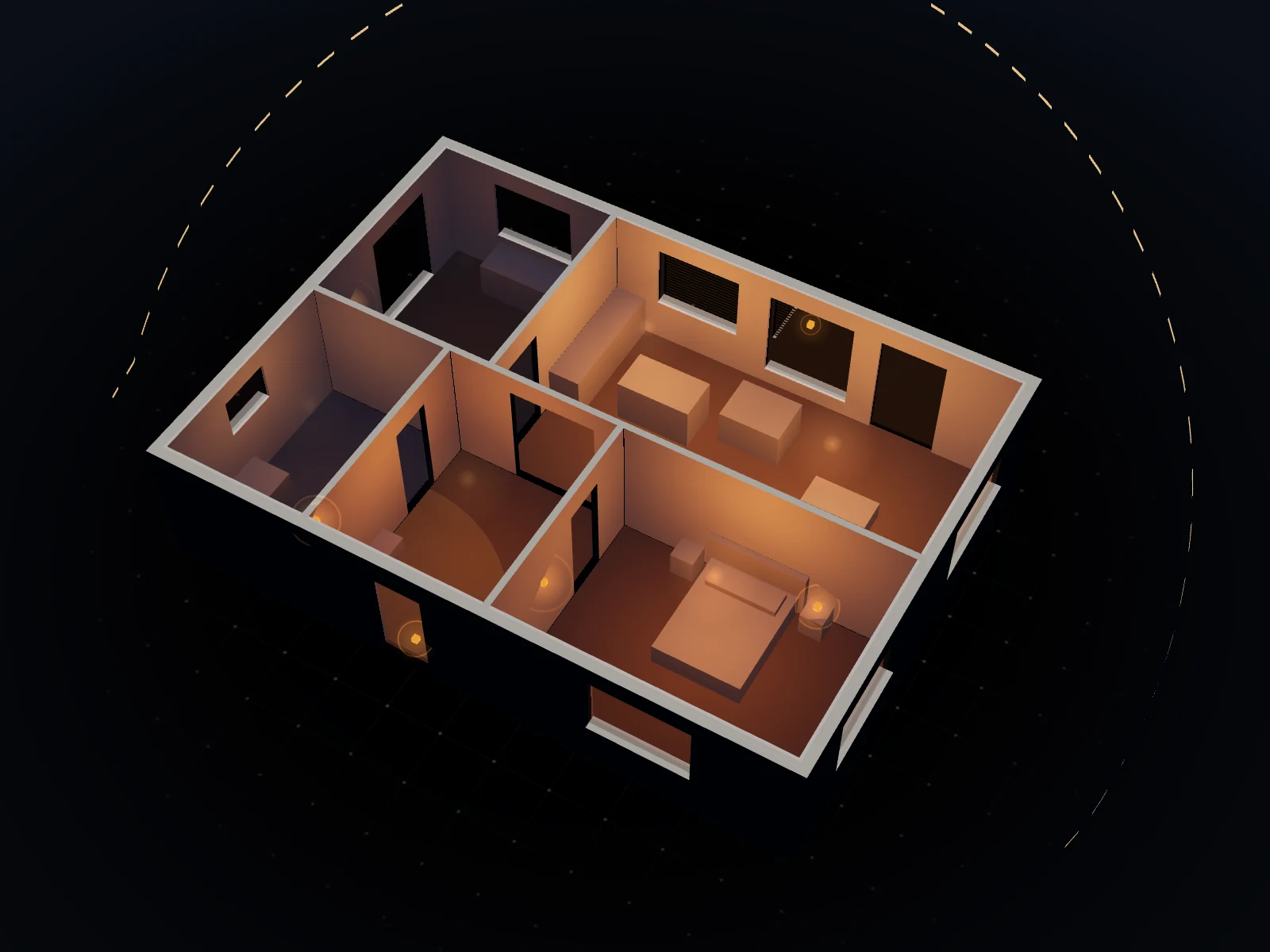
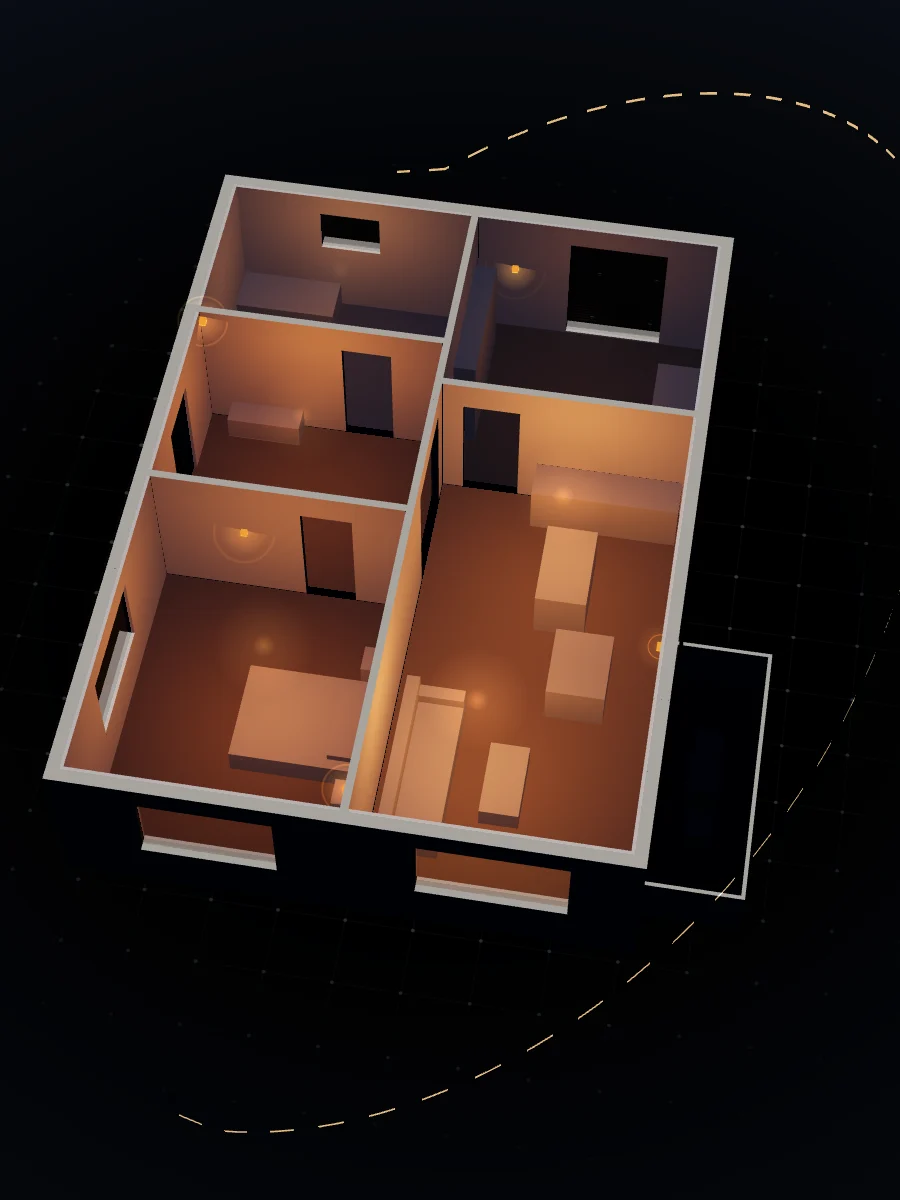
A model of a flat seen from above: a bedroom, a living room with kitchen, a study, a bath, a hall and a balcony. Through one day the sun moves across the rooms and comes in through the open windows, with no lamp on while it is light. After sunset the home turns warm, dim and private: the living room’s lights are low and warm, and the bedroom is at 18 °C with a warm night light. At night, small marks show the home’s own devices and what each is doing: the bedroom’s faint night light, the thermostat at 18 °C, the living room blinds down, the front door locked, the hall sensor quiet and the study’s air fresh.
FIND YOUR FIT
Six questions about your home. One option that fits.
Answer the way you’d talk about your home. Your answers stay on this page. If you join the waitlist from the result, we keep only which option it suggested.
Six questions · about a minute
Which option fits your home?
One question per room, then one honest answer: the option we’d start with in your home.
1 / 6
Bedroom
Do you sleep with a watch or a ring?
Your home follows your nights through it, by way of your phone.
Pick all that apply.
Living room
What do your lights run on today?
Pick all that apply.
Hall
Should it look after your doors, alarm and cameras too?
Light and warmth come with every option.
Balcony
When you’re out, do you want to change things at home?
From your phone, wherever you are.
Study
If the internet goes down, should your home keep running?
Start with what you have. Grow into the whole home.
Every option reads your sleep on your phone, and we can never read your health data. Pick by what you have at home today, or let the six questions above choose for you.
Free
For a flat with a few smart lights
Try evenings where the light follows how you slept.
What you get
Warm, dimmed evenings and gentle mornings on the lights you already have.
What you need at home
Your phone, a watch or ring, and lights on a Hue Bridge, in Google Home, or in Apple Home with a HomePod or Apple TV.
Calm evenings: light dims and warms on its own, based on how you slept
Free
YesLights in Apple Home, Google Home or on a Hue Bridge.
Althewa Cloud
Yes
Cloud + Bridge
Yes
Althewa Hub
Yes
Easier mornings: the light comes up slowly, like a sunrise
Free
YesAround the time you usually get up.
Althewa Cloud
YesAround the time you usually get up.
Cloud + Bridge
YesAround the time you usually get up.
Althewa Hub
YesOnce you wake up.
A bedroom cooled for sleep
Free
YesWith a thermostat in Apple Home or Google Home.
Althewa Cloud
Yes
Cloud + Bridge
Yes
Althewa Hub
Yes
Brighter, cooler light by day
Free
YesIn Apple Home, in steps.
Althewa Cloud
Yes
Cloud + Bridge
Yes
Althewa Hub
Yes
Your home adapts each day to how you slept
Free
YesYour phone updates today’s plan each morning.
Althewa Cloud
Yes
Cloud + Bridge
Yes
Althewa Hub
Yes
Privacy and local control
Where your health data lives
Free
Only on your phone
Althewa Cloud
Only on your phone
Cloud + Bridge
Only on your phone
Althewa Hub
On your phone and on the hub in your home
Where decisions about your home are made
Free
On your phone
Althewa Cloud
Your phone makes the plan, your home runs in our cloud
Cloud + Bridge
Your phone makes the plan, your home runs in our cloud
Althewa Hub
In your home
What our servers see
Free
Nothing about your homeThe plan goes only to your Apple Home, Google Home or Hue Bridge.
Althewa Cloud
Your account, your rooms and devices, and the plan. Never health data.
Cloud + Bridge
Your account, your rooms and devices, and the plan. Never health data.
Althewa Hub
Only what your hub needs for updates and its secure address. More only for what you switch on. Never health data.
Works without internet
Free
PartlyThe plan saved on your Hue Bridge or on your Apple or Google home hub keeps running.
Althewa Cloud
NoYour home runs in our cloud.
Cloud + Bridge
No
Althewa Hub
Yes
Encrypted connection
Free
YesApple, Google and Hue encrypt it.
Althewa Cloud
Yes
Cloud + Bridge
Yes
Althewa Hub
YesThe app and the browser to your hub.
Who can open doors and the gate remotely
Free
Nobody, we don’t connect locks or gates
Althewa Cloud
Nobody, we don’t connect locks or gates
Cloud + Bridge
Nobody, we don’t connect locks or gates
Althewa Hub
Only the people the owner allows. It is off by default, and every opening needs a fingerprint or face.
Convenience
Control when you’re away
Free
PartlyIn the Apple Home, Google Home or Hue app.
Althewa Cloud
Yes
Cloud + Bridge
Yes
Althewa Hub
YesFor the people you allow.
Reminders and alerts
Free
PartlyReminders from your phone.
Althewa Cloud
Yes
Cloud + Bridge
Yes
Althewa Hub
YesYour choice: only at home, where alerts never leave your home network, or anywhere.
Guests limited to chosen rooms
Free
No
Althewa Cloud
Yes
Cloud + Bridge
Yes
Althewa Hub
Yes
Everyone at home gets their own evening
Free
NoOne phone, one plan.
Althewa Cloud
Yes
Cloud + Bridge
Yes
Althewa Hub
YesIn shared rooms, one for everyone; in your own room, it follows how you slept.
A shared screen for the whole family
Free
No
Althewa Cloud
Yes
Cloud + Bridge
Yes
Althewa Hub
YesA tablet on the wall. Everyone opens their own view on it.
A gate left open
Free
No
Althewa Cloud
No
Cloud + Bridge
No
Althewa Hub
YesThe hub reminds you that it is open. If the gate has photocells, you can set it to close by itself.
Alarm, locks, the gate and cameras
Free
No
Althewa Cloud
No
Cloud + Bridge
No
Althewa Hub
Yes
YesPartlyNo
Technical details
Technical details
What you get
Free
Althewa Cloud
Cloud + Bridge
Althewa Hub
What you need at home
Free
Your phone, and lights on a Hue Bridge, in Google Home, or in Apple Home with a HomePod or Apple TV
Althewa Cloud
Internet, and lights or heating with their own cloud, such as Hue, Shelly or Netatmo
Cloud + Bridge
Althewa Bridge and internet
Althewa Hub
Our box, or our software on your own computer
Loxone
Free
No
Althewa Cloud
No
Cloud + Bridge
Yes
Althewa Hub
Yes
Homes with several networks
Free
PartlyFor Hue, your phone must be on your lights’ network.
Althewa Cloud
Yes
Cloud + Bridge
YesThe bridge sits on your devices’ network.
Althewa Hub
YesWhen the hub sits on your devices’ network.
A model of your home from the floor plan, and shade on hot days
Free
No
Althewa Cloud
YesShade with blinds that have their own cloud.
Cloud + Bridge
Yes
Althewa Hub
YesOn hot days it shades the sunny side before a room overheats, on the windows you put on automatic.
Comparison with your usual values
Free
YesOn your phone.
Althewa Cloud
YesOn your phone, not in the cloud.
Cloud + Bridge
YesOn your phone.
Althewa Hub
YesOn the hub, from your last 30 days.
Floor-plan AI
Free
No
Althewa Cloud
Yes
Cloud + Bridge
Yes
Althewa Hub
YesOnly when you switch it on. Our cloud AI service reads the plan and keeps nothing. No health data.
Not sure which one fits? Answer the six questions above, or join and we’ll help you choose, personally.
Althewa is a wellness product, not a medical device. Apple Home, Google Home, Hue, Shelly, Netatmo, Loxone and Raspberry Pi are trademarks of their owners.
YOUR DATA
We can never read your health data.
It starts on your phone
Althewa reads sleep and recovery from Apple Health or Health Connect, only with your permission. You can take it back at any time.
With the Hub, it stays home
Your readings, your plan and your rules live on the box in your home. Everything keeps running without internet.
Away from home, still private
With the Hub, the people you allow can use the home from outside. The connection passes our server encrypted end to end, so we can’t read it. Doors and gates open only at home.
What our servers see
With Free, nothing about your home. With Althewa Cloud and Cloud + Bridge, your account, your rooms and devices, and the plan. With the Hub, what it needs for updates and its secure address, and what you switch on yourself. Never your health.
Set it up once. After that, the house does the rest, every day.
01
Join the waitlist
ONE EMAIL · NO COMMITMENT
Early access opens home by home. We write once, when it’s your turn, and help you choose the right option.
02
Connect your watch or ring
WHOOP · OURA · APPLE WATCH · GARMIN
Althewa reads sleep and recovery from Apple Health or Health Connect on your phone. Allow reading in the background once, and every morning updates by itself. Over the first weeks it gets to know your usual values.
03
Live in it
LIGHT · TEMPERATURE · SECURITY
From then on, light and temperature change on their own through the day. Change anything you like in the app, and the house carries on.
22:30 · LIGHTS OUT
Live in a house that knows how you slept.
Early access opens home by home. Leave your email and we’ll write to you once, when it’s your turn.
It costs nothing and commits you to nothing.
Only your email, and only for early access. No newsletter.
We keep your email, and the option your answers pointed to if you joined from the result, only to tell you about early access or to answer your consultation request. More in our privacy policy.
QUESTIONS
Good to know before you join.
Do I need to buy a hub?
No. Free works with the lights and thermostats you already have in Apple Home or Google Home, and with lights on a Hue Bridge. Althewa Cloud needs no box either, and Cloud + Bridge only a small one, because we run your hub in our cloud. The Hub is for the whole house: light, temperature and security in one place, even without internet.
Which watches and rings work?
Any that write your sleep and heart data to Apple Health on an iPhone or to Health Connect on Android, such as WHOOP, Oura, Apple Watch or Garmin.
Which phones?
iPhone and Android. With Free, Apple Home works from an iPhone and Google Home from Android; a Hue Bridge works from both. Althewa Cloud, Cloud + Bridge and the Hub work from both.
Do I need an account?
Not for Free or the Hub: the app works without one. Althewa Cloud and Cloud + Bridge need an account, because we run your home on our server.
What happens when my phone is off?
The daily plan runs where it can keep going on its own: with Free, in Apple Home, Google Home or on your Hue Bridge; with Althewa Cloud and Cloud + Bridge, in our cloud; with the Hub, on the hub. When your phone is off, your home follows the last plan.
Does it work without internet?
With the Hub, yes: everything runs at home. With Free, the plan already saved on your Hue Bridge or your Apple or Google home hub keeps running. Althewa Cloud and Cloud + Bridge need internet.
Can I use it when I’m away?
With Althewa Cloud, Cloud + Bridge and the Hub, yes. With the Hub you decide who may use the home from outside, and doors and gates open only at home. With Free, Althewa changes nothing from away, but the Apple Home, Google Home or Hue app still works and the plan saved at home keeps running.
We share a bedroom. Whose sleep counts?
Everyone in the home can use the app on their own phone and sees only their own data. The home follows one person’s readings, the one you choose.
Can guests use it?
With the Hub, Althewa Cloud and Cloud + Bridge, yes. A guest uses only the rooms you choose, for as long as you decide.
Who sets up the Hub?
An installer sets up the box and connects your lights, heating, blinds and cameras. Have your own mini PC or Raspberry Pi? Tell us when we write, and we’ll set our software up on it with you. The features are the same.
My lights are on a separate network.
Free finds a Hue Bridge only on your phone’s network; Apple Home and Google Home handle separate networks through their own home hub. Cloud + Bridge and the Hub must sit on the network your devices are on.
Is Althewa a medical device?
No. Althewa is a wellness product. It sets up your home to support your sleep and your rhythm. It does not diagnose, treat or prevent anything.